The anesthesia sim lab one instructor can run
CAPNO Studio gives anesthesiology programs — residencies, anesthesiologist assistant programs, and nurse anesthesia programs — a faculty-controlled patient monitor, a case library that follows your syllabus, and a scored debrief at the end of every session. It runs in the browser, installs on the devices you already own, and keeps running when the Wi-Fi doesn't.
A lab room with no Wi-Fi still runs a full simulation. Simulation only — not for clinical use.
Drive the vitals, watch the room, keep score — from one seat
Running a simulation usually takes one person on the monitor, one on the checklist, and one watching the learners. The faculty controller collapses that into a single flow panel: every scenario event is a card in story order, with the learner actions it expects listed right beneath it.
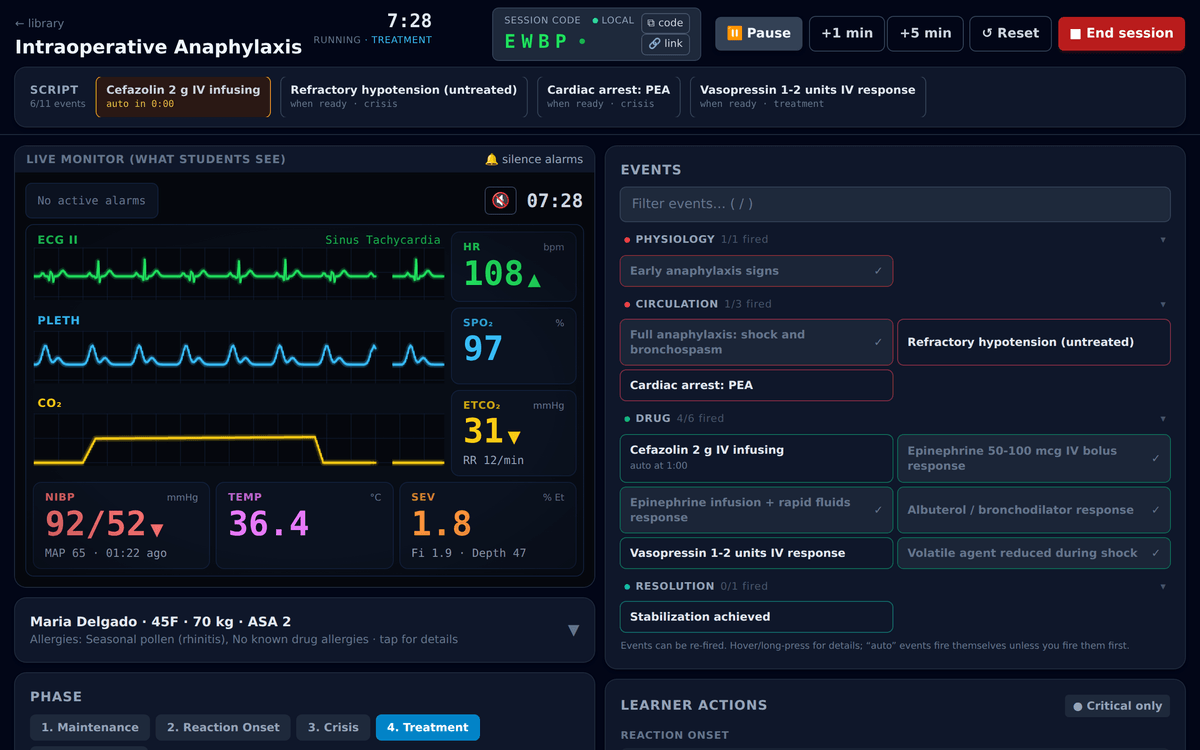
The next event is one tap — or one key
The flow panel highlights what’s next. Press N to fire it, Space to pause. Skip quiet stretches a minute or five at a time.
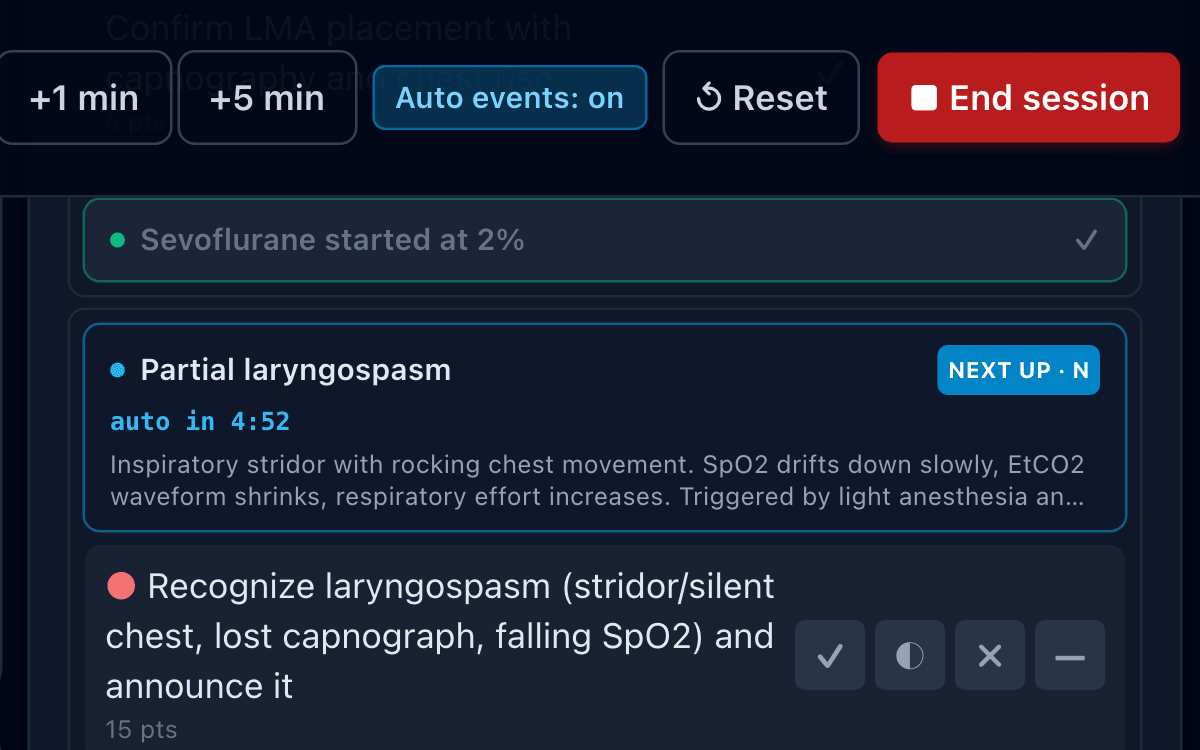
You set the tempo
Events are manual by default — the scenario waits for you. One toggle restores the authored timeline, countdowns included. Pin any event to run next, fire one the author never scripted, and jot timestamped notes that land in the debrief.
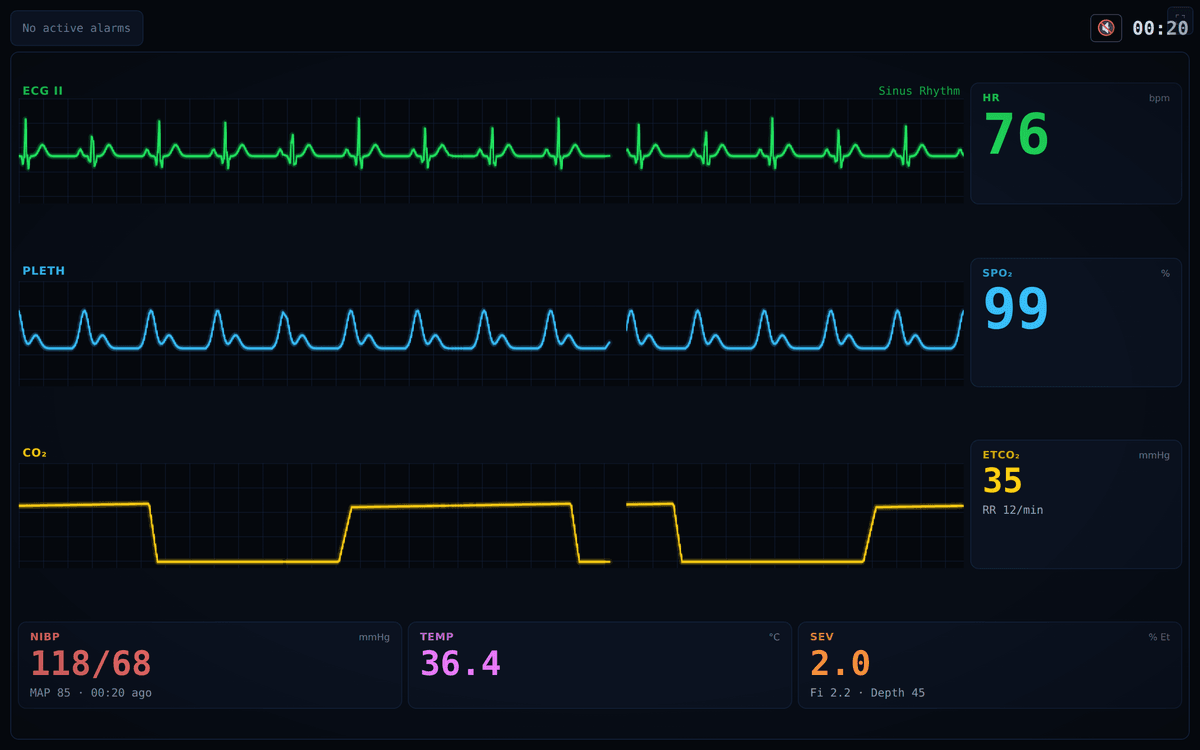
See what your learners see
A live preview of the student monitor sits inside the controller, so you never turn around to check the projector. When the room gets loud, a critical-only view keeps just the events that matter, with bigger tap targets.
Swap the clipboard for timestamps
Sim-lab evaluation too often comes down to a clipboard and a memory of who did what. Capno marks it as it happens: every expected action goes down as done, delayed, incorrect, or missed — with the time attached.
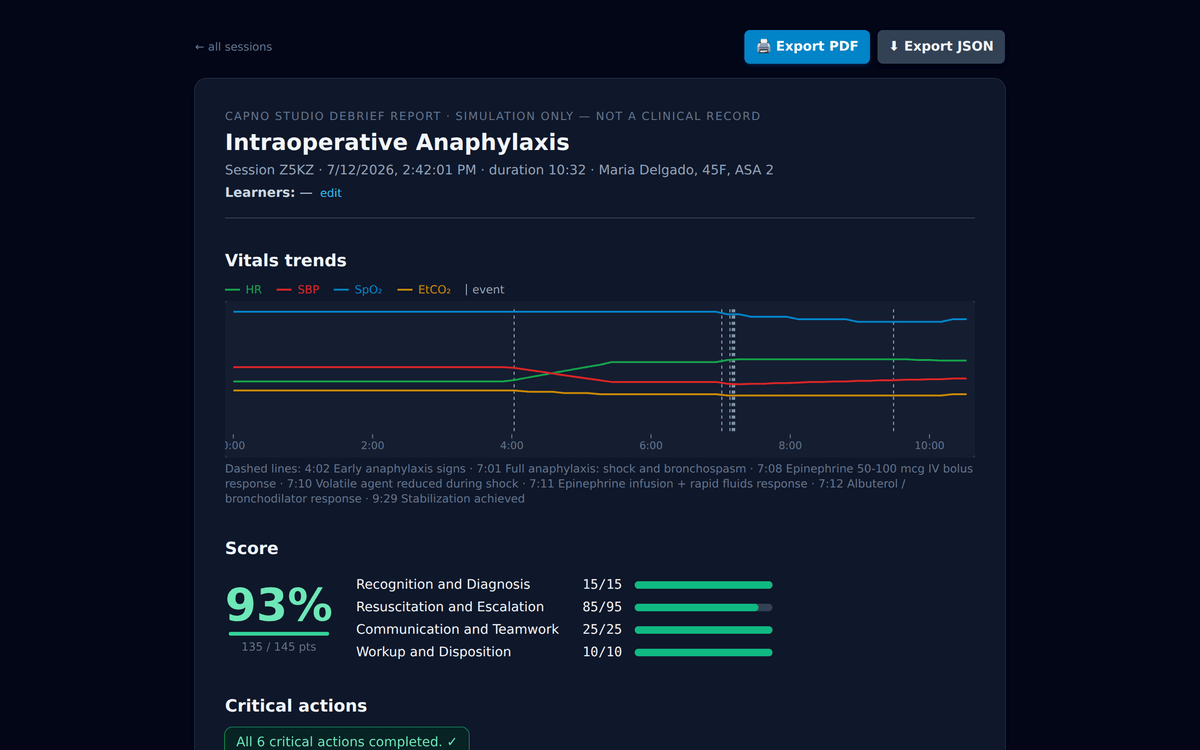
Scored before the room empties
Sessions end with an overall score, a per-category rubric breakdown, and the critical actions done or missed. Change a marking during the debrief and the score recalculates instantly.
See the pattern across your program
Every scored debrief feeds program analytics: the critical actions your cohort misses most, score trends week to week, scenario coverage, and each learner’s session history — with exports and an accreditation-ready program report.
Walk in with the story already written
The learning happens in the debrief — if someone has reconstructed what happened. Capno hands you the reconstruction the moment the session ends, as a report you can print and archive.
- ✓Vitals trends with every event marked along the timeline
- ✓Key clinical turning points picked out automatically — phase and rhythm changes, alarm crossings, recoveries
- ✓What each learner did and when, amendable on the spot with instant rescoring
- ✓A per-scenario debrief guide: suggested discussion questions, correct management, common errors
- ✓Prints to PDF through the browser — no extra software
Twelve reviewed scenarios to start. Your syllabus from there.
Starter scenarios cover the core anesthesia emergencies — anaphylaxis, laryngospasm, malignant hyperthermia, and the rest — each tagged by topic, difficulty, and training level, from medical students and anesthesiologist assistant students to residents, CRNAs, and attendings.
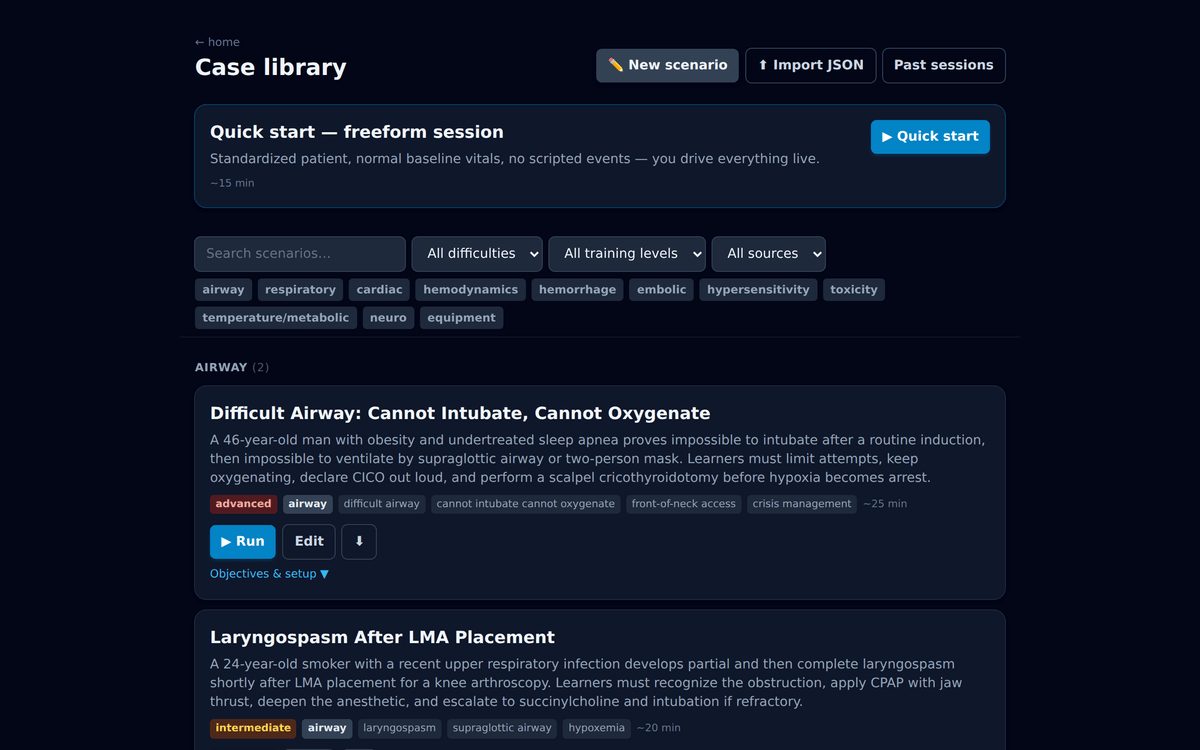
A case editor, not a case catalog
Author your own cases in the editor, organize them into collections that mirror the modules you teach, and share a collection with a colleague as a single file. Import is one step on the receiving end.
Offline by default, with an open-source core
- ✓Runs entirely offline by default — the network is only used when you choose to sync
- ✓Open-source simulation core (Apache-2.0) — inspect it, run it on your own hardware, extend it
- ✓No student accounts and no protected health information (PHI) — scenarios are fictional by design
- ✓Hosted plan adds program analytics and accreditation-ready reporting, plus sync across devices, archives, and faculty accounts — all handled for you
# self-host the core in two minutes
$ git clone https://github.com/Capno-Labs/capno-core
$ cd capno-core && npm install
$ npm run dev

# faculty controller
→ http://localhost:3000/scenariosA session in three steps
Pick a case and go live
Faculty open a scenario from the library and get a live controller: vitals sliders, rhythm changes, events, and an action checklist.
Students join with a code
Learners open the monitor on any screen in the room and enter a 4-character session code. No accounts, no installs, no IT ticket.
Debrief and archive
The session ends in a scored, printable debrief — timeline, actions, and vitals trends — archived locally and, optionally, to your institution’s cloud.